Project managers running hybrid projects juggle agile boards for day-to-day delivery and Gantt schedules for the bigger plan, while most of the important decisions happen in meetings. Turning those discussions into requirements, task assignments, schedule updates and staffing choices means hours of manual updates, and details are easily lost between the meeting and the project plan.
Planisware Prisma helps project managers turn meetings, discussions and decisions into plans, requirements and actions, so they spend less time updating projects and more time moving them forward.
Let's follow Mathilde, a project manager, as she uses Prisma and Microsoft Teams to set up a new innovation project, build its first sprint and complete its schedule and staffing.
From meeting to plan with Prisma
Set up a project in seconds
With her Microsoft Teams account connected to Prisma, Mathilde asks it to create a new project called INNOV-004 from the Innovation template. Prisma creates the project with its start date and commits the change once approved. A new project is ready to work on in seconds, built on the organization's standard structure from the start.
Turn a Teams meeting into a sprint backlog
Mathilde then asks Prisma to add the stories discussed in the "R&D-004: Sprint 1" weekly meeting to the backlog of the Sprint 1 board. Prisma first asks whether to use the meeting transcript. Once she confirms, it retrieves the transcript from Teams, extracts 25 stories and creates them as requirements in the To do column of the board. Decisions made in a meeting reach the plan directly, with nothing lost or retyped along the way.
Assign work and update the board
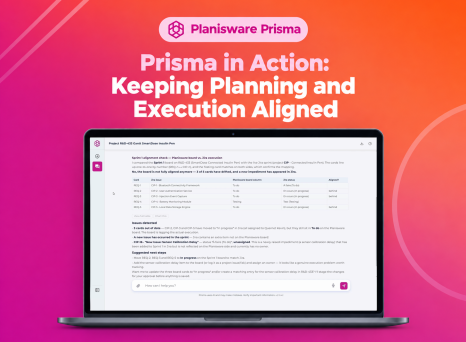
Next, she asks Prisma to assign each ticket to the right person and set the right status based on the meeting. Prisma assigns all 25 stories to the team members named in the discussion and updates their status, explaining how it mapped meeting terms such as "in testing" to the board's three columns. It then summarizes sprint progress and shows where the workload is concentrated. The board reflects what the team actually agreed, and the project manager gets an instant view of sprint progress without chasing updates.
Complete the schedule with proven activities
Switching to the Gantt view, Mathilde asks Prisma to add more detail to the "Search & Integration" work package, based on previous discussions and similar projects. Prisma proposes the missing lifecycle activities, from beta to end of life, with their durations and dependencies, and presents them for approval before updating the schedule. The plan benefits from what has worked on comparable projects, and every change stays under the project manager's control.
Staff activities with data-backed suggestions
Finally, Mathilde asks Prisma to suggest assignees for the new activities based on similar projects, checking resource availability and skills. Prisma confirms the core team has capacity over the project window and recommends an assignee for each activity, based on who delivered the same work on comparable projects. It also flags where no precedent exists and is transparent that skills could not be verified automatically in this dataset. With her approval, Prisma applies all 14 assignments and the Gantt updates instantly. Staffing decisions are grounded in real experience and availability, and the project is fully planned in a fraction of the usual time.
What Prisma brings to project managers
- Turn Microsoft Teams meeting transcripts into requirements, stories and actions automatically.
- Keep agile boards and Gantt schedules up to date from a single conversation.
- Assign work and update statuses based on what the team actually agreed.
- Enrich schedules with activities and dependencies drawn from similar projects.
- Staff activities with suggestions grounded in past assignments and current availability.
- Stay in control, with every change waiting for your approval before it is committed.