Explore Planisware, the AI-powered PPM tool, through a step-by-step live demonstration. From idea intake and project scheduling to resource management, capacity planning, and real-time reporting, discover how Planisware unifies your entire project ecosystem and accelerates strategic decision-making.
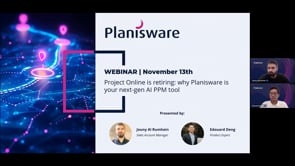
Project Online will officially retire in September 2026, marking a major turning point for organizations that depend on it to run their projects, manage resources, and steer portfolios. As this deadline approaches, teams must identify an alternative that can not only maintain their current level of project management efficiency but also support future growth, cross-team collaboration, and AI-powered decision-making.
This recorded webinar offers a demonstration of Planisware, the next-generation PPM platform designed to help PMOs, IT departments, R&D organizations, product development teams and cross-functional teams transition smoothly from Project Online. The session walks through how Planisware centralizes project planning, resource allocation, portfolio analysis, reporting, and collaboration in a single unified environment. It also highlights Oscar, Planisware’s AI assistant, and showcases how artificial intelligence simplifies daily project operations.
The webinar recording is available above, and the following article gives you a detailed overview of the content covered during the session.
A Future-Proof Transition From Project Online
The webinar begins by addressing one of the biggest concerns of the moment: what happens when Project Online retires. As users lose access to their legacy data, schedules, and workflows, they need a platform capable of securely supporting their day-to-day operations while offering a path toward more advanced practices. Planisware is familiar for Microsoft Project users thanks to its Gantt-based scheduling, yet far more powerful in terms of flexibility, integration, and automation.
From Idea to Projects
One of the first capabilities shown is the project intake and idea management process. In Planisware, teams can propose new ideas, assess them, visualize them through Kanban boards, and easily convert them into proposals or full projects without having to re-enter information. The interface is intentionally accessible, editable without code, and tailored to different user profiles. The demo highlights how this smooth intake flow helps organizations build a real pipeline of initiatives, all within a single source of truth.
The demo then focuses on Planisware’s scheduling features. The platform offers an interactive Gantt chart that will feel immediately familiar to Project Online users, but with far greater adaptability. Columns can be rearranged on the fly, templates can be applied automatically, and users can add activities, link tasks, manage dependencies, or run impact analysis at any time. The demo also shows how baselines can be activated to compare planned versus actual progress, enabling teams to understand slippage and make informed adjustments.
One of the most important highlights is the ability to import Microsoft Project Online schedules instantly. By dragging and dropping an XML file into Planisware, users can reconstruct their full project structure in minutes, making migration straightforward and secure.
Planisware also highlights its built-in stage-and-gate governance, where each gate, required deliverables, and approval criteria are clearly structured within the project lifecycle. This ensures consistent, auditable decision-making and helps teams advance only when the right conditions are met.
Project Scheduling and Management
When returning to the project module, the demo opens a project already in progress, showing a configurable report page with key tiles for costs, earned value, risks, issues, resources, and schedule health. Everything is centralized to give project managers an immediate, comprehensive view of project status.
Switching back to the Gantt view, we see a layout adapted for execution. Teams can review progress, open linked documents, check resource assignments, and update the plan at any time by adding or linking new activities. Every change is instantly reflected in the table and critical path views, and comparing the schedule to a selected baseline makes it easy to see how the plan has evolved. Baselines act as snapshots, while dependency isolation gives teams full visibility and control over the impact of each update.
The demonstration also showcases hybrid project management. Teams can manage part of a project in a traditional waterfall structure while running other work packages in agile mode, all synchronized within the same project. Agile sprints, stories, and tickets update automatically into the main Gantt plan, ensuring complete continuity from strategy to execution.
Resource Management & Capacity Planning
After walking through project-level features, the demonstration shifts to the needs of resource managers and PMOs. Planisware consolidates all staff, skills, and availability data into a dedicated resource module where managers can evaluate workloads, anticipate bottlenecks, and allocate resources across the entire portfolio.
The demonstration includes an in-depth look at the Timeshift view, a powerful capacity-planning workspace where users can compare actual capacity with planned allocations. By shifting timelines or testing scenario variations, organizations can explore different ways to balance workload without impacting live data. This approach allows teams to refine decisions collaboratively before committing to a change.
Portfolio Governance & Strategic Visibility
Another central part of the demo shows how Planisware provides a consolidated portfolio perspective. Rather than switching between systems or spreadsheets, PMOs can access dashboards that represent the health of their entire portfolio: performance indicators, cost variances, risks, progress trends, timelines, and workload distribution.
Users can switch between different portfolios in real time, allowing them to navigate from a company-wide view to a specific program in seconds. The session includes examples of timeline reports, financial pivot-style analyses, cost variance dashboards and risk dashboards, all of which can be exported to PowerPoint, Excel, or PDF for executive communication. Planisware’s reporting capabilities allow organizations to maintain visibility and governance across all initiatives.
Integrated Collaboration Through Microsoft Teams
Because collaboration happens across tools, the webinar dedicates time to demonstrating Planisware’s two-way integration with Microsoft Teams. Messages posted inside a project discussion in Planisware are automatically synchronized with Teams, and replies in Teams are pushed back to the Planisware discussion thread. This ensures that conversations remain accessible from any environment and that information never gets lost in scattered channels.
Oscar: The AI Assistant for Project & Portfolio Teams
The last part of the webinar introduces Oscar, Planisware’s embedded AI assistant. Oscar can answer questions about project data, explain financial metrics, update tasks, shift schedules, generate charts, or create reports, all through natural language. The demo shows Oscar being used both inside Planisware and directly within Microsoft Teams, enabling users to take meaningful action even when they cannot access the application.
For example, Oscar is asked to analyze a project, identify the most urgent tasks, and shift a scheduled activity by two weeks, all from Teams, while the application updates in real time. This illustrates how Planisware’s AI capabilities bring a new level of agility and responsiveness to project teams.
Why Organizations Are Choosing Planisware as Their Project Online Successor
As the session concludes, the message is clear: migrating from Project Online is not just about replacing a tool, but about upgrading to a modern, integrated, and AI-powered PPM platform that supports the full project lifecycle. Planisware provides continuity for current processes while offering new capabilities for teams who want to increase collaboration, improve forecasting, and embrace digital transformation across their portfolio.
If you are exploring options ahead of the 2026 Project Online retirement, this webinar is an essential resource. It not only explains how Planisware can support your transition but also shows how the platform unlocks new levels of performance, visibility, and intelligence.
Frequently Asked Questions
Q: Does Planisware integrate with ERP platforms like SAP and Oracle, project and work management tools like Jira, MS Project, cloud services such as Google Drive, Power BI and SharePoint, HRIS systems for resource data, and platforms like Databricks?
A: Yes, Planisware offers extensive integration capabilities across ERP systems (such as SAP and Oracle), work management tools (including Jira, Azure DevOps, and MS Project), BI platforms (like Power BI and Tableau), HRIS systems, document repositories (such as SharePoint and Google Drive), and many other enterprise applications, using open REST APIs, flat-file exchange, and iPaaS connectors to ensure seamless, flexible data flow across your ecosystem. You can read more on these integrations here.
Now I have comprehensive information to create a well-structured FAQ section for the Project Online retirement webinar page. Let me compile the optimized FAQ entries.
Q: For more information about migrating from Microsoft Project Online to an alternative PPM solution, what resources can I consult on the Planisware website?
A: Planisware offers a comprehensive library of resources to help organizations navigate the transition from Microsoft Project Online:
Your Microsoft Project Online Transition Starts Now – A comparison of your migration paths and why Planisware is the ideal enterprise PPM alternative
Microsoft Project-Planisware Enterprise Data Integration – Learn how the MSP Connector enables seamless data import from Microsoft Project files
Transitioning a Microsoft PPM Solution into Planisware Enterprise – A case study of migrating Microsoft Project Server to Planisware for an Aerospace & Defense company
Meet Oscar: Planisware's Agentic AI Assistant – Discover how Oscar transforms project management with natural-language AI assistance
Planisware Enterprise Demo: PM GO – A 20-minute demo showcasing project portfolio management capabilities
Planisware Enterprise Brochure – An overview of Planisware's strategy-to-execution solution
Request a Personalized Demo – See how Planisware can address your organization's specific needs
Q: When is Microsoft Project Online retiring, and what happens to my data?
A: Microsoft has officially announced that Project Online will retire in September 2026. After this date, your data and workflows will no longer be accessible through the platform.
Organizations currently using Project Online have two primary migration paths:
Migrate to Microsoft Planner Premium (formerly Project for the Web) – Microsoft's replacement solution within the M365 ecosystem
Transition to a dedicated enterprise PPM platform – Solutions like Planisware offer significantly more advanced capabilities for resource management, portfolio optimization, and strategic planning
Planisware recommends starting your transition planning now to ensure a smooth migration, preserve critical project data, and minimize disruption to ongoing projects. The Planisware MSP Connector enables direct import of Microsoft Project files, including tasks, resources, calendars, and dependencies—ensuring no data loss during migration.
Q: How does Planisware compare to Microsoft Planner Premium as a replacement for Project Online?
A: While Microsoft Planner Premium is designed as a lightweight successor to Project Online within the M365 ecosystem, Planisware Enterprise offers significantly more advanced capabilities for organizations with advanced portfolio management needs:
| Capability | Microsoft Planner Premium | Planisware |
|---|---|---|
| Resources per Task | Max 20 | Unlimited |
| Task Links (Dependencies) | Max 20 per task | Unlimited; supports multiple structures |
| Custom Fields | Max 10 per project | Unlimited for full flexibility |
| Tasks per Project | Up to 3,000 | Unlimited scalability |
| Hierarchy Levels | Max 10 | Unlimited |
| AI Capabilities | Requires Copilot (add-on) | Built-in AI assistant (Oscar) + predictive analytics |
| Scenario Planning | Requires Power BI | Native what-if simulations |
| Third-Party Integrations | Limited to M365 stack | Broad integrations (ERP, ITSM, CTMS, Jira, HCM) |
| Enterprise Scalability | Limited | Thousands of users and projects |
For organizations prioritizing platform consolidation, Planner Premium may suffice. For enterprise-scale portfolio governance, resource optimization, and AI-driven planning, Planisware delivers significantly more value. Learn more: Planisware vs Work Management Solutions.
Q: What is Oscar, and how does Planisware's AI assistant improve project management?
A: Oscar is Planisware's agentic AI assistant designed to transform how teams interact with project data and execute strategic decisions. Unlike simple chatbots, Oscar operates on an intelligent agentic layer that enables autonomous, multi-step actions within your Planisware environment.
Key Oscar capabilities include:
Natural-language queries – Ask questions like "Show me my digital transformation portfolio's budget performance" and receive instant, data-driven answers
Autonomous task execution – Oscar can set up Monte Carlo simulations, generate schedules, and create project configurations based on conversational requests
Documentation assistance – Access contextual help and guidance from your organization's Planisware documentation instantly
Multi-agent orchestration – Coordinates specialized agents for forecasting, risk scoring, and resource optimization
Enterprise-grade security features:
Role-based access control honors existing Planisware permissions
Data sovereignty compliance—no sensitive data leaves your secure ecosystem
Full transparency on documents and sources accessed
Oscar is available for Planisware Enterprise customers using version 7.1 or later (7.1.5+ recommended for full AI capabilities). Explore more: Meet Oscar: Planisware's Agentic AI Assistant.
Q: Can I import my existing Microsoft Project data into Planisware?
A: Yes. Planisware provides a dedicated MSP Connector that enables seamless, bidirectional data integration with Microsoft Project files:
Import capabilities:
Import tasks, resources, dependencies, calendars, and custom fields from .mpp files
Drag-and-drop functionality for quick ad-hoc imports
Automated change detection for repeated updates—only modified tasks are updated
Migration support:
Migrate from Microsoft Project, Project Server, or Project Online
Preserve existing project structures, baselines, and historical data
Administrator-configurable mapping settings ensure reliable data alignment
Ongoing integration:
Export data back to Microsoft Project for stakeholders without Planisware access
Real-time collaboration with MS Teams through native bidirectional integration
Broad third-party integrations with ERP systems (SAP, Oracle), ITSM, CTMS, Jira, HCM, and more
Learn more: Microsoft Project-Planisware Enterprise Data Integration or read how an Aerospace & Defense company migrated from Microsoft Project Server.
Q: How is Planisware recognized by industry analysts in the PPM market?
A: Planisware is consistently recognized as a market leader by the world's top IT analyst firms:
Gartner Recognition:
Magic Quadrant for Adaptive Project Management and Reporting (APMR): Named a Leader for four consecutive years (2022–2025)
Magic Quadrant for Strategic Portfolio Management (SPM): Featured as a Challenger
Gartner Peer Insights (as of November 2025):
SPM: 4.6/5 (119 ratings) – "Customers' Choice 2024"
PPM: 4.5/5 (76 ratings)
APMR: 4.5/5 (53 ratings)
Other Analyst Coverage:
Featured in IDC MarketScape assessments for Strategic Portfolio Management and Agile PPM
Recognized in Forrester, Info-Tech, and GigaOm evaluations
According to Planisware's market meta-analysis of 18 analyst reports, Planisware is one of only two vendors achieving "Market Dominant" status (Tier 1), appearing in all 18 studies with an average score of 16 out of 20.
Explore Planisware's full analyst recognition: Analyst Recognition Page.
Q: How can I see Planisware in action and evaluate it for my organization?
A: Planisware offers multiple ways to explore the platform and assess fit for your organization:
1. Request a Personalized Demo
Schedule a live demonstration tailored to your specific use cases, industry, and requirements. Planisware's solution experts will walk you through relevant capabilities—from project scheduling and resource management to AI-assisted planning. Request a demo.
2. Watch On-Demand Demos
Explore recorded demonstrations covering specific capabilities:
PM GO: Project Portfolio Management Demo – 20-minute overview of project management features
Capacity Planning Demo – Resource optimization and workload balancing
AI Capabilities Demo – Predictive analytics and AI features
3. Review Customer Success Stories
Learn how organizations like ABB, ADNOC, Bristol Myers Squibb, and PepsiCo leverage Planisware: Customer Stories.
4. Explore the Resource Center
Access whitepapers, webinars, guides, and industry-specific content: Planisware Resource Center.